

Communication Channels
Choose email, a customer portal or chat, and verify the complete customer-to-agent conversation.
Required · Connect support channels
Choose how customers will reach your team, then verify the complete conversation. A channel is an entry point such as email, the community portal or chat. Several channels can lead to cases, but each needs its own setup and test.
Before you begin
An administrator should agree the first channel with the support team. Have a monitored queue and eligible agents ready. Email setup also needs your mailbox and domain administrators. Portal and chat setup need an owner for customer access and the website experience.
Northstar can begin with one reliable channel. It does not need to launch every option at once.
Choose the initial route
| Channel | Customer experience | What must be ready |
|---|---|---|
| Jordan emails the approved support mailbox and replies in the same conversation. | Inbound route, mailbox forwarding, outgoing identity, authentication and delivery test. | |
| Community portal | Jordan signs in or uses the allowed public experience to find knowledge and submit a case. | Community, forms, customer identity/access, topics and case visibility tests. |
| Chat | Jordan opens a widget and speaks to the configured assistant or support team. | Widget mode, allowed site, queue, coverage, case/handoff and outside-hours tests. |
A saved contact or active module is not proof that a channel works. The basic target is that a customer request reaches the right case and agent, and the agent’s response reaches the intended customer.
Connect email first, if selected
- Open Settings → Email configuration → Routes (inbound email) to configure the incoming route.
- Choose the intended division, initial priority and monitored queue, save, and obtain the generated forwarding destination.
- Have the mailbox administrator forward the approved support mailbox to that exact destination.
- Configure Address / signature for the outgoing sender and complete domain authentication.
- Send a new request from a controlled mailbox, reply as an agent, then reply back as the customer. Verify one coherent case, correct customer identity, routing and actual delivery.
The next two chapters give the full procedure. Inbound email routes and reply addresses cover the detailed settings.
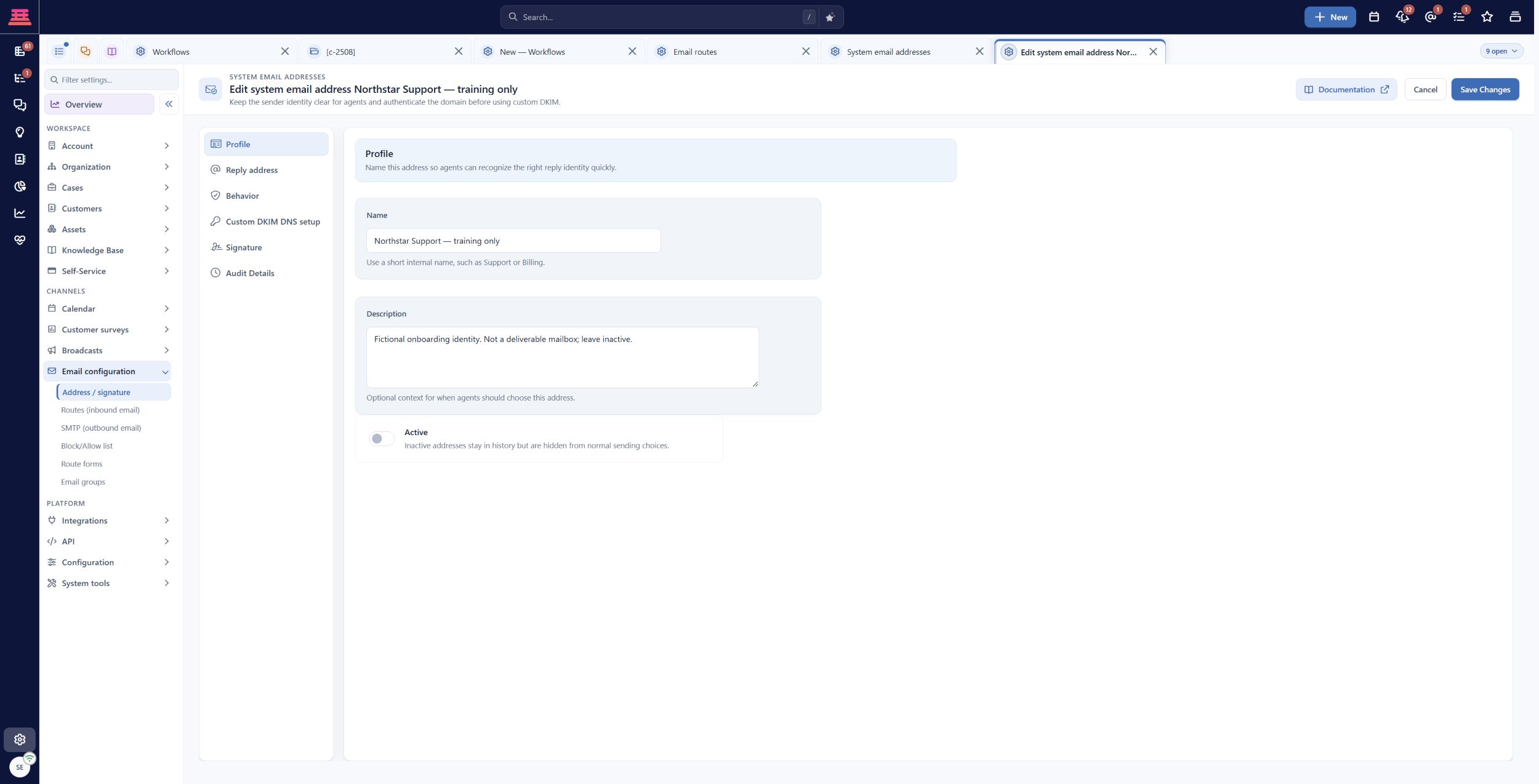
Email configuration separates outgoing Address / signature from incoming Routes (inbound email). This saved training identity is inactive.
Connect the other chosen channels
For a portal, follow Community Portal, then verify public and signed-in customer access separately. Knowledge should be useful to the intended customer without exposing internal notes or another customer’s records.
For chat, follow Set up chat and test the customer handoff. Test available-agent, unavailable-agent and after-hours outcomes. A successful bot answer does not demonstrate a successful human handoff.
Keep a simple channel test record
For each chosen channel, record the test date, controlled identity, resulting case ID, expected queue/owner, actual reply result and any missing step. Use the same harmless “Monthly report export fails” scenario so differences are easy to spot.
Do not mark a channel ready just because the configuration saved. If provider forwarding, DNS, website installation or a test recipient is unavailable, name that dependency and keep readiness pending.
If the journey breaks
- No case: begin at the channel’s entry point and check its active state, provider forwarding or widget/community configuration.
- Wrong company/contact: inspect sender or portal identity and the selected customer record.
- Wrong queue/owner: review the channel default and subsequent workflows.
- Reply missing: check the actual recipient, outgoing sender and authentication/delivery result.
- Duplicate cases on replies: inspect message matching and whether forwarding preserves the original conversation references.
Completion check
- At least one initial channel is selected.
- Every selected channel has an owner and monitored destination.
- Its setup and complete conversation test are scheduled or complete.
- Unselected channels are explicitly optional.
- Functional gaps are recorded instead of treated as successful setup.
Previous: SLA Management · Next: Email Routes, Reply Addresses and Signatures
Updated 20 days ago