

Modules and Policies
Choose the capabilities your team will actually use and review the policies that apply across the account.
Required · Start here
Choose the capabilities your team will actually use and review the policies that apply across the account. You do not need to enable every module to start supporting customers.
Before you begin
Use an administrator with permission to change account modules and policies. First choose your initial channels: email, a community portal, chat, or a combination. A module makes a group of capabilities available. An account policy controls shared behavior. A case policy, introduced later, controls case forms and is a different setting.
The expected result is a deliberate minimum setup, with optional capabilities recorded for later.
Review modules
- Open Settings → Account → Feature Modules.
- Read each group before changing a switch. Core groups the choices under Knowledge Base, Community, Portal, and Surveys, Chat and Chat Bot, Calendar, Assets, Data Tables, Customer Notes and Health Scoring.
- Keep capabilities already needed by your team. For Northstar’s first email-based setup, email case handling is the starting channel. Knowledge and calendar capabilities may support the next chapters. Enable portal or chat capabilities when you choose those channels; do not enable them merely because the screenshot shows them on.
- Leave optional assets, data tables or health features for later if nobody will maintain them. If a feature is already used, ask its owner before disabling it.
- Select Save Changes after intentional changes. Reopen the page and verify the saved switches.
- Open the corresponding workspace area to confirm it is available to the intended agent. Module availability does not replace role permission.
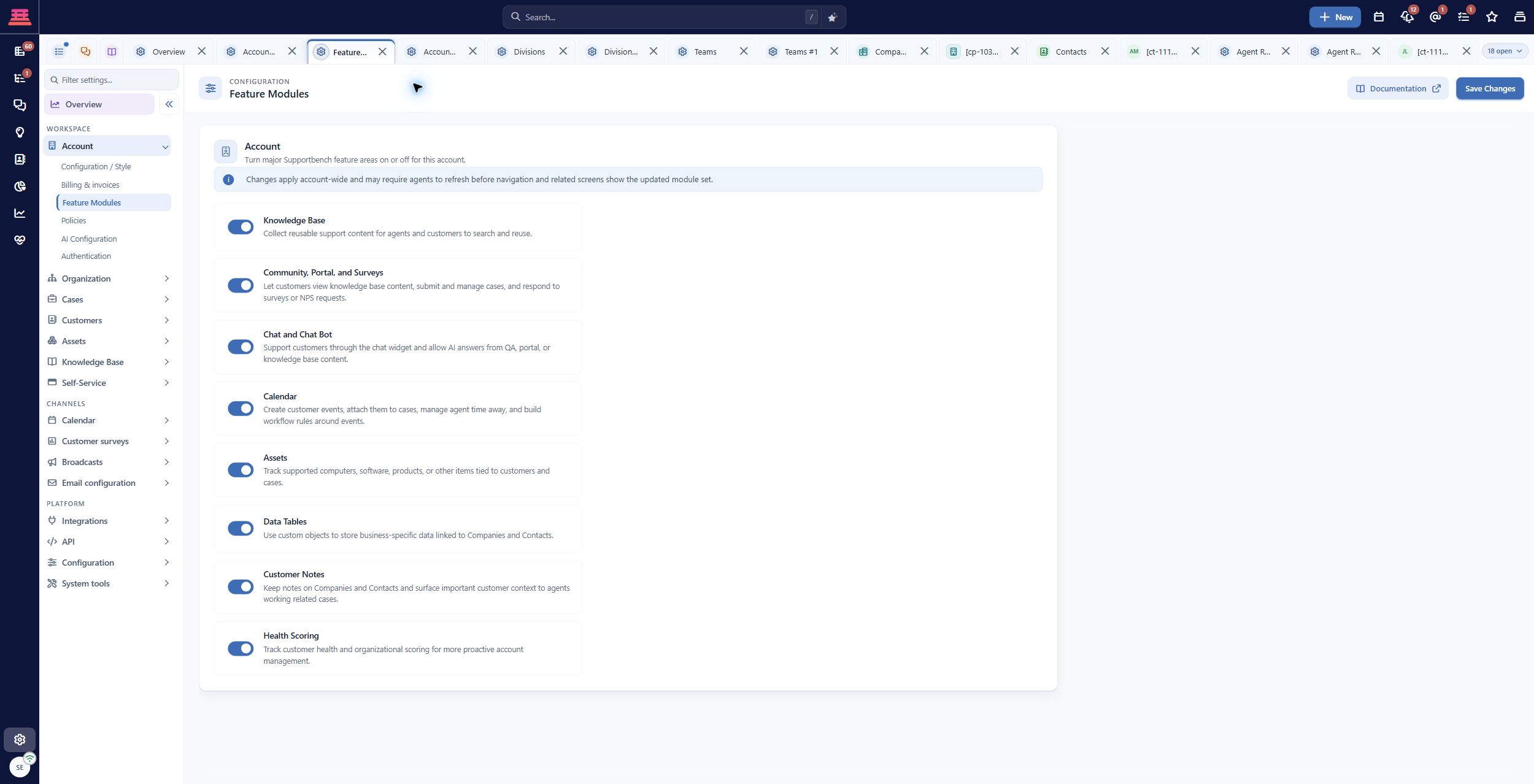
Saved Feature Modules in the demo account. Enabled demo modules are examples, not a recommendation to enable everything.
The enabled switches shown here belong to the demo account. They are not a recommendation to activate everything. Feature modules and their dependencies gives detailed guidance.
Review account policies in small groups
- Open Settings → Account → Policies.
- Review Login Policy and Password Policy with the person responsible for access. Keep the existing protections unless there is an agreed reason to change them. Session timeout and the time until an agent is marked Away are separate controls.
- Review Global Case Settings for account-wide case behavior. Read the explanation of each setting before changing it; a global setting can affect more than your new training case.
- Review Interface & Editor Defaults for the starting agent experience and editing defaults.
- Review Regional Settings for dates, times, timezone and country code, as covered in Your Account.
- Review Interface naming if your organization uses a different word for cases or other entities. A label change does not create a new record type or change customer permissions. Keep the standard wording during onboarding if changing it would confuse the team.
- Save only the deliberate changes, then reopen the relevant tab. For settings requiring a fresh sign-in, save other work and sign in again before verification.
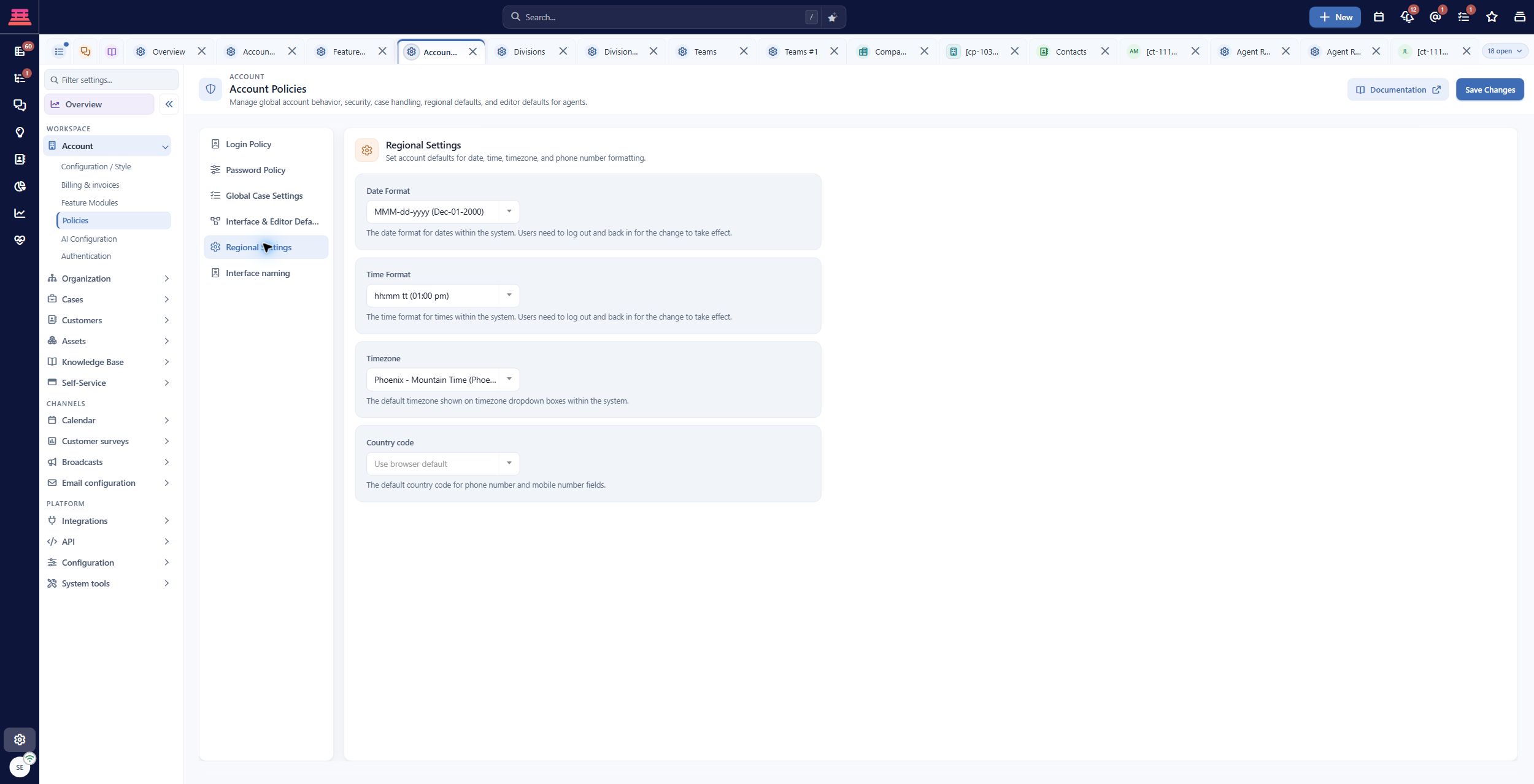
Saved Regional Settings. Verify the timezone rather than copying these demo values.
Use the account policies reference for the effect of individual settings. Changing an agent’s presence or interface wording does not establish an SLA or a customer channel.
Work through one example
Northstar wants email support first and a small knowledge base. It records portal and chat as later phases. The administrator reviews the existing regional and security settings, keeps values that already fit, and notes any module needed by a later selected chapter.
This is a valid completed review even when no switch changes. The aim is a coherent operating setup, not a large number of enabled features.
If something is missing
- A workspace area is absent: confirm both its module and the agent’s role permission. Refresh the workspace or sign in again after a saved access change.
- A setting appears to do nothing: check the help text for dependencies and sign-in requirements, then test the specific behavior with a controlled record.
- Agents cannot sign in after a policy change: use your established administrator recovery process; do not keep changing unrelated policies. Record the policy changed and the time for support.
- You are unsure whether a module is used: leave it as it is and assign an owner to investigate before disabling it.
Completion check
- Your selected channels have their required capabilities.
- Existing useful modules remain available.
- Security, regional and case-wide policies have been reviewed.
- Optional work is recorded with an owner.
- Saved choices are verified for the intended agent.
Previous: Your Account · Next: Divisions and Teams
Updated 20 days ago